Everyone in the picture.
Nobody behind the phone.
Set your iPhone near the TV and turn your 65-inch screen into a live family viewfinder. Click once on the Siri Remote — and find every photo and video waiting in Photos on your iPhone.
Why We Built FamJam
Goodbye, shaky tripods and dead Bluetooth clickers.
Every holiday has the same ritual: propping a phone against a mug, tapping a 3-second timer by mistake, sprinting across the rug, and walking back 10 times to check if anyone blinked.
- ✕Mom or Dad stuck behind the camera — missing from half the family album.
- ✕Bluetooth pocket clicker battery died somewhere in 2023.
- ✕Tiny front screen you can’t read from the couch — half the sofa cropped out.
- Everyone sees themselves live on the 65-inch TV before the shutter clicks.
- One click on the Siri Remote already sitting on your coffee table.
- Center Stage keeps the whole sofa framed automatically in crisp rear-camera quality.
Built Native for tvOS
Five controls. Zero learning curve.
Modeled after the iPhone Camera everyone already knows — designed for the Siri Remote from ten feet away.
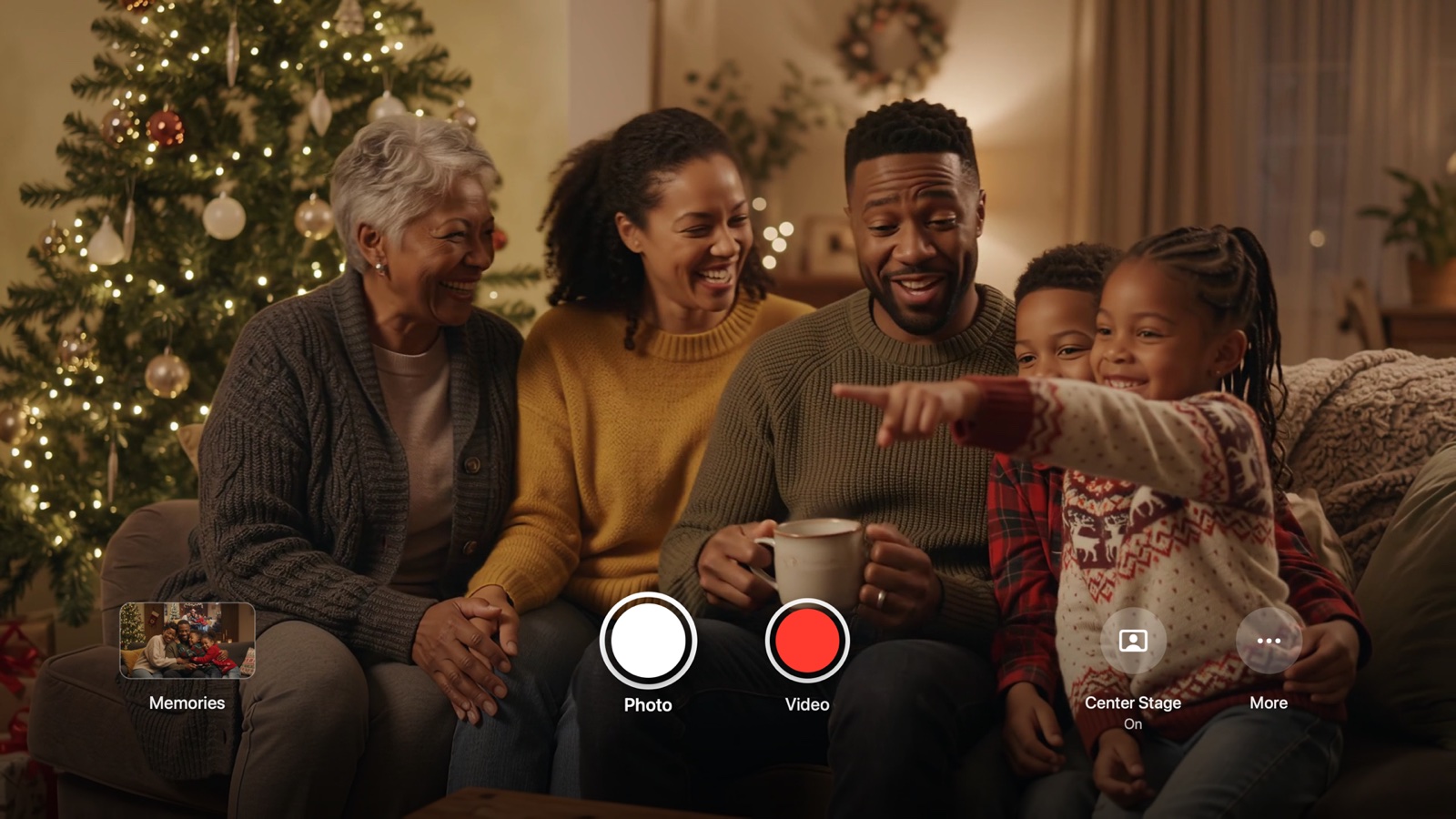
65-INCH VIEWFINDER
Your iPhone is the lens. Your TV is the mirror.
Set your iPhone on the console facing the couch. Center Stage engages the 120° ultra-wide camera automatically so grandma, the kids, and the dog all fit comfortably in the shot.
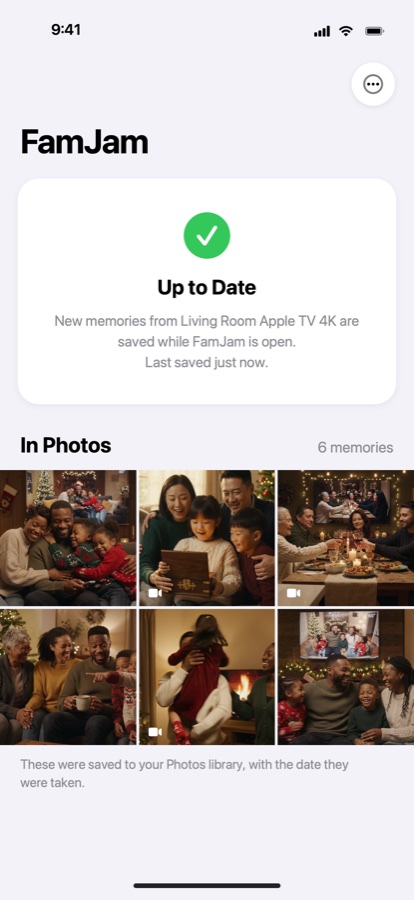
Straight into Photos.
Ready to frame and share.
Scan the code on your TV once. From that evening on, every photo and video taken on your Apple TV copies over your home Wi-Fi straight into your iPhone’s Photos library — verified byte-for-byte.
Private by Architecture
What happens in your living room
never leaves your Wi-Fi.
App Store Privacy Label: “Data Not Collected.”
No sign-up screen. No cloud bucket. No third-party analytics or ad trackers. Because FamJam has no servers, we couldn’t look at your family’s photos even if we wanted to.
One Universal App
Single App Store listing (FamJam) across both Apple TV and iPhone — install on one, ready for both.
Signed Local Pairing
Every sync request between your iPhone and Apple TV is signed with an HMAC-SHA256 key derived from the QR secret on your TV screen — never transmitted in plain text.
Add-Only Photos Permission
On iPhone, FamJam requests write-only permission to save new memories — it literally cannot read or browse your existing Photos library.
Smart Apple TV Cleanup
Settings › Free Up Space removes only memories an allowed iPhone has already confirmed saving to Photos — never deleting an unsaved moment.
Questions & Answers
FamJam uses Apple’s wireless Continuity Camera, which requires an Apple TV 4K (2nd generation or later) running tvOS 17+ and an iPhone XR or later running iOS 17+ on the same Wi-Fi network.

Put down the phone.
Step into the moment.
Designed for holiday mornings, visiting grandparents, and every living room with an Apple TV 4K.